
When managing a Hugo blog, you often need to switch back and forth between the terminal and editor. To simplify this process, I developed hugo-admin, a lightweight web management interface based on Flask.
Why It’s Needed
The typical workflow for writing Hugo blogs is:
- Execute
hugo new post/xxx.mdin terminal - Open the file with an editor to write content
- Start
hugo serverin terminal to preview - Switch to browser to check the effect
- If not satisfied, return to editor to modify
This workflow is fine, but it would be more convenient if all operations could be completed in one place.
Main Features
hugo-admin provides the following features:
- Dashboard: Blog statistics overview
- Article Management: Browse, search, filter articles
- Markdown Editor: Online editing with auto-save support
- Hugo Server Control: Start/stop server, view logs in real-time
- Image Management: Upload and manage article images
Interface Display
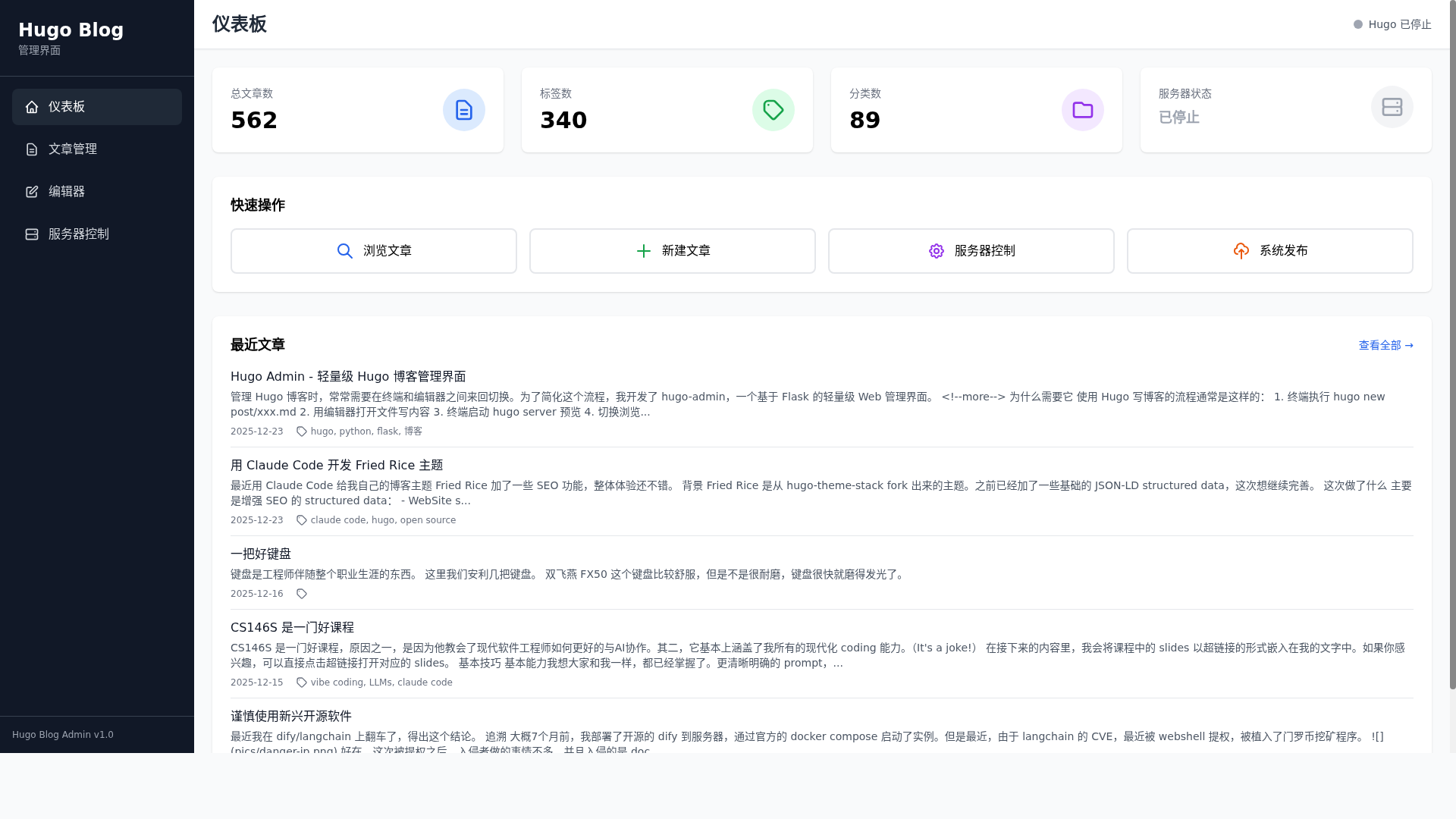
Tech Stack
Backend uses Flask + Flask-SocketIO, frontend uses Tailwind CSS + Alpine.js. Real-time log pushing is implemented based on WebSocket.
| |
Installation and Usage
| |
After starting, visit http://127.0.0.1:5000.
Core Implementation
The Python version uses SQLite for caching to avoid scanning the file system every time:
| |
Hugo server control manages processes based on psutil, supporting real-time log pushing:
| |
Advanced Version
Besides the open-source Python version, I also developed a Go language implementation of the advanced version. Compared to the open-source version, the Go version has the following advantages:
- Higher performance: Compiled Go language executes more efficiently
- Lower resource usage: Less memory and CPU usage
- Single file deployment: Compiled into a single executable file, no need for dependency environment
- More features: Includes more advanced features
- Direct Hugo API usage: No need for SQLite3 cache, directly calls Hugo API to get article information, more lightweight and efficient
The advanced version is priced at $10 USD. Click here to purchase to get complete source code. If you have higher requirements for performance and deployment convenience, consider the advanced version.
Future Plans
- Git operations interface
- Batch operation support
- Docker deployment
The project is open source, welcome to Star and PR.