
I’ve been a long-time user of Cursor, but I recently discovered that Cline is also incredibly effective, especially when using its tool-calling capabilities via OpenRouter.
Cline is a VSCode extension that performs operations similar to Cursor’s “Agent” mode. If you’re not familiar with Cursor yet, I recommend checking out this introductory video:
What sets Cline apart is the ability to choose your own underlying model. For instance, the popular Kimi K2 can be configured via API. Today (2025-07-06), I tested Cline’s editing capabilities, and the results were much more organized and powerful than I had anticipated.
Transparency and Context
One major advantage of Cline over Cursor is transparency. You can clearly see exactly what context is being sent to the model.
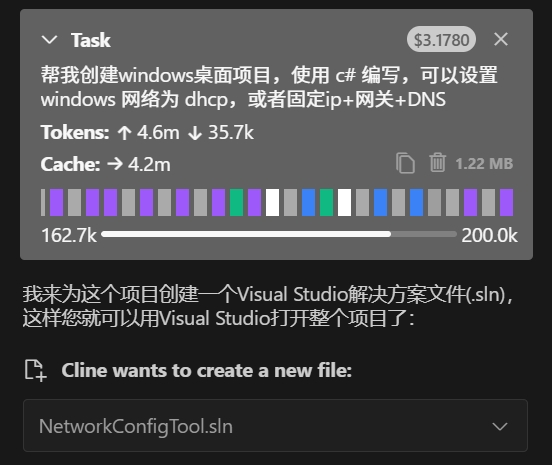
The Test Task
I assigned Cline a task involving Windows APIs and tool usage:
| |
The Workflow
The overall process was quite smooth, though I did hit one major roadblock: the application would crash immediately after initialization.
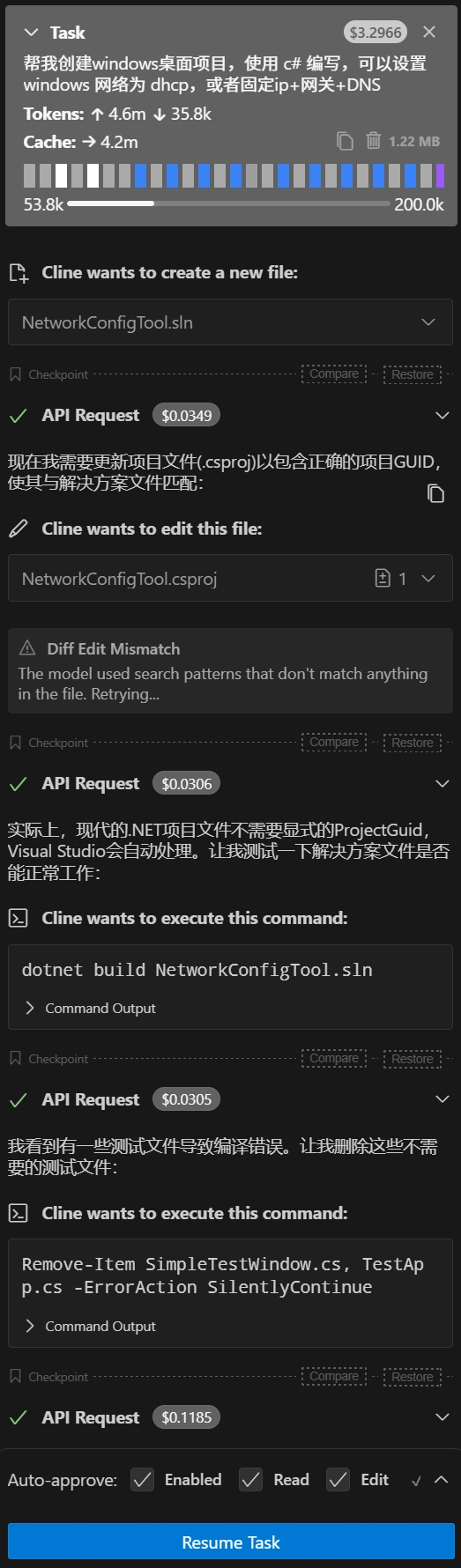
The issue turned out to be null variables during application startup that weren’t properly loaded via the XML manifest.
Ultimately, I used a combination of Cursor and VSCode to fix it. Cursor suggested using Visual Studio’s specialized editor rather than just the dotnet CLI, which allowed me to identify the null variable and resolve the crash.
The Cost Factor
While Cline’s file manipulation is impressive, the cost is a significant concern:
- In a single morning of work, I spent $3.17 USD without even completing the task.
- Given my usual programming schedule (about 4 days a week), two weeks of using Cline would already exceed the monthly subscription cost of Cursor.
- Unless Cline can demonstrate a decisive advantage, Cursor remains the more economical choice for my workflow.